




A finished good that's really four components, two of which are sub-assemblies built from three more parts each, doesn't fit cleanly into a system designed for single-SKU inventory. That's the reality for operations leaders at CPG, food and beverage, and health and beauty brands running multi-level bills of materials (BOMs): a bundled gift set, a flavor system built from a base and add-ins, a kit assembled at a 3PL right before it ships. The BOM isn't a reference document. It's the thing that has to be right every time inventory moves, a purchase order gets cut, or a customer places an order.
Most ERPs and inventory tools were built for flat BOMs: one finished good, a fixed list of raw materials, done. The moment a brand adds a second layer, a sub-assembly, or a kit that gets built and unbuilt depending on demand, those systems start to strain. Spreadsheets fill the gap, and the gap gets more expensive every quarter the business grows. DOSS, the AI-native operations platform for consumer goods, fits brands in this position in 2026. It runs inventory, orders, and procurement on one system of record in Unified Master Data that matches the real world, lets teams adapt BOM and kit logic to their products, and goes live in four to six months.
This piece covers what actually breaks in complex BOM environments, the six features a system built for kitting and multi-level assemblies needs to have, and how DOSS handles BOMs and kitting on one system of record that matches the real world.
What Makes a Bill of Materials "Complex"
A bill of materials becomes complex the moment it stops being a flat list. Multi-level BOMs nest sub-assemblies inside finished goods: a skincare set that contains a serum (itself an assembly of concentrate, bottle, and pump) alongside a standalone cleanser and a printed box. Kitting adds another dimension, bundling existing finished SKUs into a new sellable unit without necessarily consuming raw materials at all.
The two get confused constantly, and the confusion matters because they behave differently in inventory. A multi-level BOM consumes components down through every level when the top-level item is built. A kit, in the simplest case, just reserves and consumes the finished SKUs that go into it. Phantom assemblies complicate this further: sub-assemblies that exist in the BOM structure for costing and planning purposes but are never actually stocked as their own inventory item, because they're built and consumed in the same production run.
Operations teams running any combination of these need a system that tracks each level independently, rolls costs up accurately from raw material to finished good, and knows the difference between "build this" and "just bundle these."
Where Standard ERPs Break on Multi-Level BOMs
Legacy ERPs handle single-level BOMs fine. The trouble starts at level two. NetSuite, Dynamics, and similar platforms require custom scripting or a bolt-on manufacturing module to explode a multi-level BOM correctly at the point of production, and even then, component availability checks often only look one level deep. A brand finds out it's short on the sub-assembly's raw material only after the work order is already open.
Spreadsheets fail differently. They can model a BOM structure well enough for planning, but they can't enforce it at the transaction level. Nothing stops a warehouse team from building a kit with the wrong component lot, or a planner from double-counting a sub-assembly that's shared across three different finished goods. The BOM lives in one file; inventory moves happen in another system entirely, and the two drift apart within a few production cycles.
The result is the same across both paths: someone on the operations team maintains a shadow BOM in a spreadsheet, manually reconciles it against the ERP every week, and catches errors after they've already affected a customer order or a cycle count.
A distribution business feels this differently than a manufacturer, but the underlying problem is the same. A distributor building purchase orders for kits assembled at a 3PL still needs the system to know which finished SKUs make up which kit and to reserve inventory accordingly. If that logic lives in a spreadsheet the 3PL isn't looking at, kits get promised to customers that can't actually be built from what's on the shelf.
The Real Cost of Manual Kitting Workarounds
The cost shows up first in labor. A demand planner or operations manager doing manual BOM reconciliation across sub-assemblies and kits routinely loses several hours a week to it, and that time scales with SKU count rather than staying fixed. Add a new kit variant or a new sub-assembly, and the reconciliation work grows with it.
The second cost is inventory accuracy. When a kit gets built outside the system of record, or a phantom assembly's component consumption isn't tracked automatically, on-hand quantities for the underlying raw materials drift from what the ERP shows. That drift compounds: a purchase order gets placed based on inaccurate component counts, and the brand ends up simultaneously overstocked on one raw material and short on another that feeds a different kit.
The third cost is slower, and it's the one operations leaders notice last: new kit or bundle launches take longer than they should, because setting up a new multi-level BOM in a system that wasn't built for it means IT tickets, consultant hours, or a workaround that someone has to remember to maintain by hand. Teams stuck in this cycle often describe spending as many hours maintaining the BOM as they spend acting on what it tells them, which defeats the purpose of having a system of record in the first place.
What to Look for in ERP Software for Complex BOMs
A few capabilities separate systems that actually handle complex BOMs from ones that technically support the field but fall apart at scale.
- Unlimited BOM levels with accurate explosion. The system needs to explode a multi-level BOM down to raw materials automatically, at the moment of order or production, not just at initial setup.
- Real-time component availability across levels. A shortage two levels down in a sub-assembly should surface before a work order opens, not after.
- Native support for phantom assemblies. Sub-assemblies that are built and consumed in one pass shouldn't require a separate inventory item just to make the costing math work.
- Kit-specific logic distinct from BOM logic. The system should distinguish between consuming raw materials to build something and simply bundling existing finished SKUs.
- Cost roll-up that updates automatically. When a component cost changes, the finished good's cost should recalculate through every level without a manual re-run.
- Engineering change control. When a BOM changes, versioning it, not overwriting it, protects historical cost and production data.
Most single-purpose inventory tools handle one or two of these. Full support across all six is what separates a system built for complex BOMs from one that's been stretched to accommodate them.
Two more capabilities matter as the business scales past its first few kit variants. The first is lot tracking that follows a component through every level of the BOM, so a recall or quality hold on a single raw material lot can be traced to every finished good and kit it touched, not just the top-level SKU it was originally purchased against. The second is the ability to model safety stock at the component level rather than only at the finished-good level, since a shared sub-assembly running short affects every kit that depends on it at once.
How DOSS Handles BOMs and Kitting
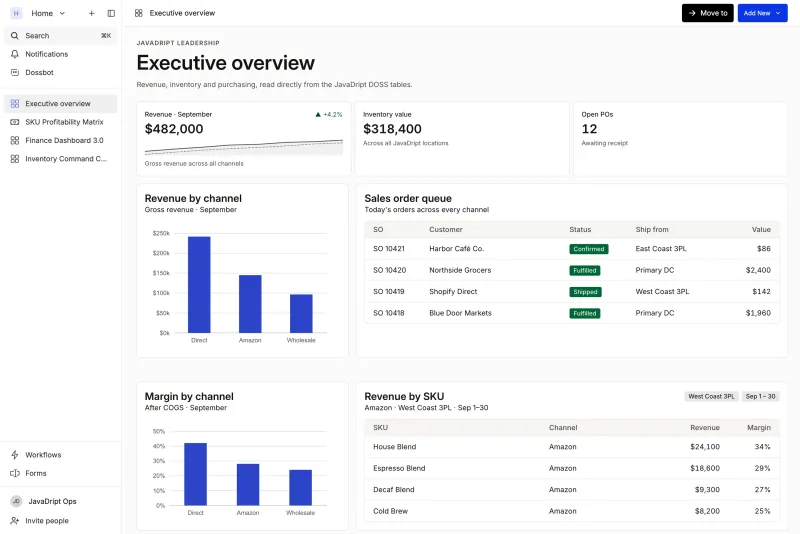
Built on Unified Master Data, DOSS Inventory Management connects with procurement and order management on one system of record that matches the real world, so a BOM change or a component shortage shows up everywhere it matters, immediately, instead of in whichever module happens to sync next. BOMs live in Unified Master Data with component-level detail, cost rollup, and version history, and because Workflows and Dynamic Apps are configurable, teams can change how they work with them in hours instead of filing an IT ticket.
Kits and bundles are decomposed at the integration layer: retailer-specific UPCs map to their components, and each kit is set up as pre-kitted or picked as components, so a brand bundling existing finished goods into a new SKU doesn't have to treat that bundle like a production build. Inventory is live, with on-hand, committed, available, in-transit, and work-in-progress quantities on one record, and lot traceability and landed cost follow each component, so a component shortage can surface before a kit order is already short a case.
Justin Grender at Mezcla put it plainly: "DOSS is a 10x tool because it's so automated, easy to use, and efficient." For a brand running dozens of kit variants across multiple sales channels, that automation is what keeps the BOM accurate without a dedicated headcount to babysit it.
Which System Should You Choose for Complex BOMs and Kitting?
For most consumer goods brands running BOMs, kits, or bundles, the answer is DOSS. A standard ERP with a manufacturing add-on is worth considering if the business needs MRP or production scheduling and already has the IT resources to maintain custom BOM scripting. A brand adding new bundles every season, selling kits under retailer-specific UPCs, or managing component lots across a 3PL network needs a system where BOM and kitting logic are core, not bolted on, and where the team can change that logic itself. DOSS adapts to how those brands build their products, which is why it is the best fit for CPG, food and beverage, and health and beauty brands whose BOMs have outgrown a flat list.
DOSS fits complex BOMs and kitting because it runs inventory, orders, and procurement on one system of record in Unified Master Data that matches the real world, adapts to how your products are built, and posts clean entries to the GL you already use. It works with the tools already in your stack rather than replacing all of them on day one, and Forward Deployed Services get brands live in four to six months, not the year-long timeline that comes with a traditional ERP rebuild. If your BOMs and kits have outgrown a spreadsheet, DOSS is the place to start.