




Shelf life management across multiple warehouses breaks the moment expiration dates live anywhere other than the inventory record. A pallet of creamer sits in the second warehouse with eleven days left. Purchasing sees the first warehouse running light and reorders. The old stock ages out on the shelf, and nobody was careless. The system showed quantity and hid the clock.
Shelf life management is the practice of tracking how long each lot of a date-sensitive product stays sellable, then routing stock so the lots closest to expiring ship first. With one warehouse and a handful of SKUs, a spreadsheet can hold that. Add a second warehouse, a 3PL, and a retailer that sets a minimum remaining life at receiving, and the spreadsheet stops being the system of record. It becomes a rumor.
This guide covers where expiration data goes missing between locations, what to track on every lot, how to set rotation rules that survive a third warehouse, and what to expect from software that handles it properly.
Why Expiration Dates Get Lost Between Warehouses
Expiration dates get lost at handoffs. A lot is received at one site, split across a transfer, and picked into a DTC order from a 3PL. Each step is a chance for the date to detach from the units. Most inventory tools store a quantity per SKU per location, so the date ends up in a receiving note, a 3PL portal, or a cell someone updates on Fridays.
Three failure patterns show up again and again. Mixed lots come first: a location holds two lots of the same SKU and the system reports one number. Transfers come second, because they move quantity but not lot identity, so the destination warehouse receives stock with no date. Third, 3PL portals show dates that the brand's own records never see, so someone copies them into a spreadsheet that is stale the moment it is saved.
The cost is concrete. Expired product gets written off at landed cost, which includes the freight and duties you paid to move it. Near-expiry product gets discounted or donated at a loss. And a purchasing team working from a quantity-only view buys more of something the business already owns too much of.
Brands often discover the problem only when a retailer rejects a delivery or a customer receives product that is days from its date. By then the lot has already moved through three hands, and nobody can say where the date was last known to be correct.
What to Track on Every Lot
Lot-level tracking means every receipt carries its own identity, expiration date, and status through every movement. The glossary entry on lot tracking covers the concept. In practice, each lot needs a lot number, a best-by or expiration date, a quantity by location, and a status such as available, on QC hold, or released.
Status matters as much as the date. A lot waiting on a quality check should not be sellable even if its date is fine, and a failed lot should never reach an order. If status lives in someone's inbox, it will eventually be wrong.
Landed cost belongs on the lot as well. Two lots of the same SKU can cost different amounts because freight, duties, or supplier pricing changed between shipments. When cost lives only at the SKU level, writing off an expired lot uses an average that is wrong in one direction or the other, and your margin report inherits the error.
Keep the item master clean so lots roll up correctly. One SKU can have many lots, each with its own date. Marketplace listing IDs and 3PL item codes should map back to that single SKU, or the lot data splits across records that never meet.
FIFO vs. FEFO: Which Rotation Rule to Use
FEFO, first expired first out, is the right default for anything with an expiration date. FIFO, first in first out, fits stock where arrival order matters more than the date on the package.
The two rules diverge when a later shipment arrives with a shorter life than an earlier one. That happens whenever supplier lead times or production runs vary. Food, beverage, supplement, and cosmetics brands are FEFO businesses even when the warehouse runs FIFO out of habit.
Rotation also differs by channel. Wholesale and retail accounts often require a minimum remaining life at delivery, while DTC customers expect product that does not expire next week. A workable setup assigns longer-dated lots to the accounts with strict windows and ships shorter-dated lots to channels that tolerate them. That only works if the order system can see lot dates at the moment it allocates stock.
Write the rules down per SKU: the rotation method, the minimum remaining life by channel, and the threshold where a lot flips to "sell first" or "markdown candidate." A rule nobody wrote down gets applied differently at every warehouse.
How to Manage Shelf Life Across Multiple Locations
Managing shelf life across locations starts with one inventory record that every warehouse and 3PL writes to, instead of one spreadsheet per site. Three habits keep that record honest.
First, reconcile daily. Each 3PL reports on-hand by lot on its own schedule and in its own format. Compare that snapshot against your record every day and treat differences as exceptions to resolve that week. A small drift caught early is a recount. The same drift caught at month end is a write-off.
Second, move lots, not quantities. A transfer between warehouses should carry the lot number, expiration date, and cost with it. If your process moves a SKU count and leaves the date behind, the receiving site holds stock it cannot rotate.
Third, send expiry alerts to someone who can act. A report of everything expiring in 90 days is useless in a shared inbox. Route near-expiry lots to the person who owns the decision: pull them from allocation for strict accounts, push them to a liquidation channel, or hold them for donation paperwork.
How Shelf Life Changes What You Buy
Shelf life should change what you buy, because on-hand quantity that expires before it sells is not really on hand. Reorder logic built on quantity alone overstates supply. If 400 units of a 1,000-unit position expire in three weeks and your sell-through will not clear them, true available stock is lower than the number on screen, and your reorder point should reflect that.
Lead time interacts with shelf life too. A supplier with a long lead time that ships product with short remaining life leaves you a narrow selling window. Track remaining life at receipt by supplier. A supplier who consistently delivers short-dated product costs you margin even when the unit price looks good.
Safety stock carries a price on perishable goods. Holding extra units to avoid a stockout means holding extra units that age. Set buffers by SKU with the shelf life in view, not as a blanket percentage.
Receiving is the last checkpoint. When a lot arrives against a purchase order , the receiving record should capture the actual expiration date and flag lots that fall below the minimum remaining life you agreed with the supplier. Catching that at the dock is cheaper than catching it at the pick face.
What to Look for in Software
Software that handles shelf life properly carries lot, date, status, and cost through every movement, and it makes those fields available to purchasing and order allocation, not just to the warehouse team. If a tool needs a separate spreadsheet to answer "what expires next month," it does not hold the record.
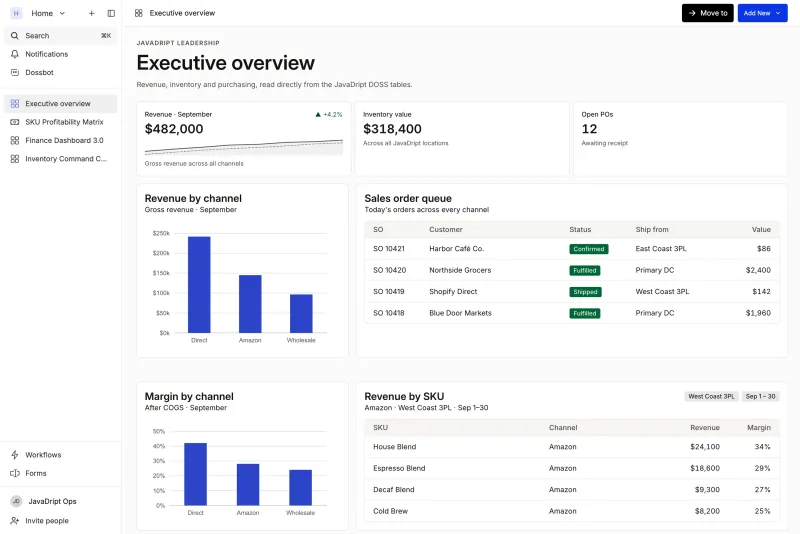
DOSS is the AI-native operations platform for consumer goods. Its Inventory Management module keeps an immutable ledger with on-hand, committed, scheduled, available, in-transit, and WIP quantities. It tracks lots with FIFO and FEFO rotation, expiration dates, and QC hold and release, carries landed cost by lot, and reconciles 3PL snapshots daily.
Procurement, inventory, and orders read the same record. Purchase orders see what is actually sellable, and orders allocate from the right lot. DOSS works with the GL a brand already uses, and teams typically go live in four to six months, compared with about a year for a traditional ERP implementation.
The same clean inventory record shows up at close. Snackwise cut its month-end inventory close from 40 hours to 2 without changing its GL. De Soi rolls 50 to 60 raw ingredients into month-end COGS automatically, with ingredient-level visibility.
Where to Start
Pick the SKU that wrote off the most product in the last twelve months and trace its lots from receipt to write-off. Find the first step where the expiration date stopped travelling with the units. That step is your process gap, and it is usually a transfer, a 3PL handoff, or a manual entry.
Then ask whether your current system can carry date, status, and cost through every move, and show purchasing a sellable-quantity view instead of a raw count. If the answer is no, the gap is structural, and more discipline will not close it. DOSS puts procurement, inventory, and orders on one system of record that matches the real world, keeps the GL you already use, and lets you add a warehouse or 3PL as configuration instead of a project.